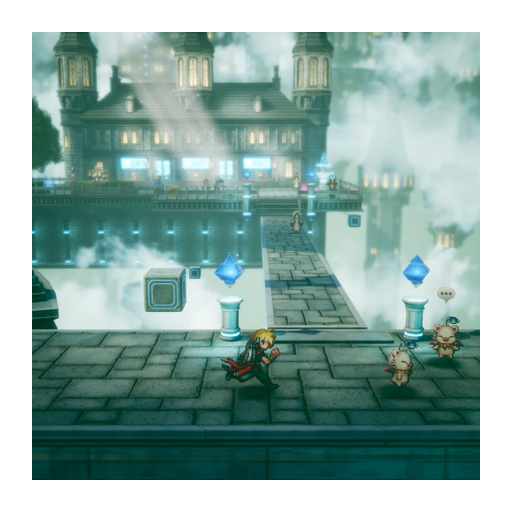
FINAL FANTASY RESONANCE Switch 2 editions: choose Standard or Deluxe

Choose Standard unless you want the named extras
For a first purchase, choose the base-game edition for your own console. On original Switch, select the Switch listing. On Switch 2, select the native Switch 2 listing if that is the version you want. Add Digital Deluxe only if you want its named item pack; do not choose it as a substitute for checking console compatibility.
Already own Standard? Compare the compatible Deluxe Upgrade with your existing contents. Do not buy the full game again just to obtain an item pack. If you own the original Switch version and are moving to Switch 2, settle any hardware-upgrade entitlement separately before spending more.
Original Switch or Switch 2 comes first
Yes: the publisher’s platform table names both Nintendo Switch and Nintendo Switch 2. They are distinct entries, so choose the listing that explicitly matches the version you want. Gamer Fusion’s buying coverage also discusses both versions. Do not assume that a Deluxe label changes which hardware the product supports.
If you already own a copy, check its exact edition and platform in your purchase history before buying anything else. A Deluxe content upgrade and a Switch-to-Switch-2 upgrade would solve different problems; one label does not establish the other entitlement.
What do Standard, Deluxe and Upgrade mean?
| Option | Choose it when | Check first |
|---|---|---|
| Standard/base game | You want to play without paying for the listed Deluxe extras. | Correct console or PC store and account region. |
| Digital Deluxe | You want the base game together with its advertised item pack. | The local listing’s exact included items and price difference. |
| Digital Deluxe Upgrade | You already own the compatible base game and want the listed extras. | The base-game requirement; it is not a substitute for buying the game. |
On Steam, choose the full Digital Deluxe product or its separate add-on upgrade. If you want to see the paid options compared, watch the edition discussion. For a Nintendo purchase, check the Nintendo listing itself before paying.
Are the Deluxe extras worth choosing?
Buy the pack because you want its named items, not because the word Deluxe sounds like a different game. The paid pack includes the Archwitch’s Grimoire in the Steam description and buying overview. These named extras are the reason to compare Deluxe, rather than an assumption that Standard leaves out the base adventure. Read the complete local contents before deciding whether those extras justify the difference for you.
For a simple choice, start with Standard if you mainly want the base adventure. Compare Deluxe if the extras are specifically appealing. If you already own Standard, compare the standalone upgrade against what your existing edition already includes so you do not buy the same content twice.
Finish the platform-and-edition check
Confirm the following in one local product listing: the exact hardware, base-game inclusion, pack contents, account region and current total price. Square Enix cautions that regional store availability can vary, so a Steam option or an overseas screenshot does not prove that a matching Nintendo offer is available to your account.
For other systems, use the platform access table. For buying routes, see purchase options. If your decision depends on a monitor shape, read the separate ultrawide support note.
Sources
- [1]FINAL FANTASY RESONANCE on Steam — Steam
- [2]Digital Foundry technical review — Digital Foundry
- [3]Gamer Fusion before you buy — Gamer Fusion
Was this helpful?
Thanks for the feedback!